AI Sims Filter
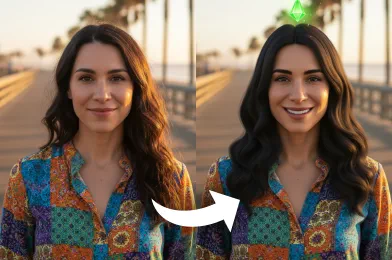
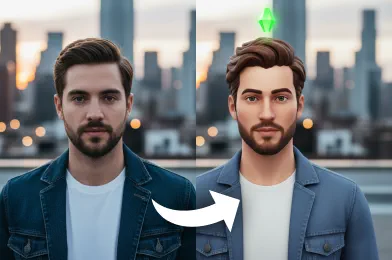
Our AI sims filter helps you generate your own Sims-inspired avatar with a single photo. It captures your expressions and details, then transforms them into a polished, game-like character.
Processing...
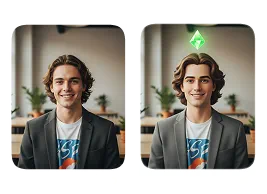
Upload Your Original Image
or drag and drop PNG, JPG or WEBP
Sample Images
How to Use the AI Sims Filter?
Follow these simple steps to transform your photo with AI sims filter.
Step 1
Upload Your Photo
- Start by selecting and uploading a clear, high-quality photo to the Sims effect.
Step 2
Apply the Sims Effect
- Click on the 'Apply Image Effect' option, and the AI will automatically convert your photo into the Sims-style design.
Step 3
Download & Share
- When your Sims-inspired image is generated, download the final result and share it across your favorite social platforms.
What Amazing Results to Expect
Discover Other Popular Image Effects
FAQs About AI Sims Filter
Get clear answers to common questions about using RemixAI.
The AI Sims Filter is an online tool that transforms your photo into a stylized Sims-inspired character. It uses advanced AI to recreate your features in the signature Sims art style.
The filter analyzes your facial structure, expressions, and key details from your uploaded photo. It then generates a digital avatar that looks like a character from The Sims universe.
Yes, most platforms such as RemixAI offer free access to the AI Sims Filter so you can generate Sims-style characters without any cost.
Yes, our AI Sims filter allows you to download your generated avatar in high-resolution format for personal use or sharing.
RemixAI maintains your facial structure while blending it with a polished Sims-inspired art style. It looks stylized yet still recognizable as you.