Free AI PS2 Filter
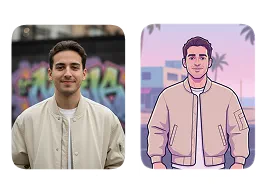
Our AI PS2 filter automatically generates retro-style visuals from your photos, mirroring the low-poly models and textured look of PlayStation 2 games.
Processing...
Upload Your Original Image
or drag and drop PNG, JPG or WEBP
Sample Images
How to Use AI PS2 Filter?
Follow these simple steps to transform your photos with the AI PS2 filter.
Step 1
Upload Image
- Select and upload the photo you want to convert into the PS2 game style.
Step 2
Apply Image Effect
- The AI will automatically process your image and apply the classic PS2-era graphics filter.
Step 3
Download & Share
- Once the transformation is complete, download the new image to your device.
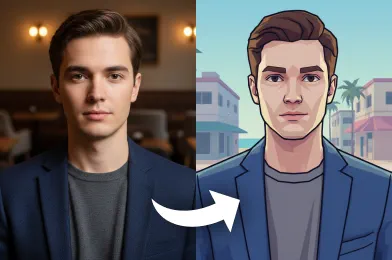
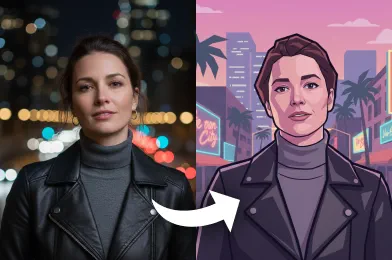
See These Incredible Results
Related Popular Image Effects


FAQs About AI PS2 Filter
Get clear answers to common questions about using RemixAI.
Our AI PS2 filter transforms your photos into PlayStation 2–style game characters by applying retro, low-poly visuals and classic PS2 textures.
Yes, the filter is designed to closely replicate the classic PS2 look, including blocky shapes, muted shading, and retro gaming aesthetics.
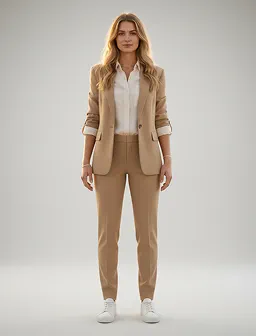
It works on both. Remix AI adapts to your photo, generating PS2-style characters whether it’s a portrait, half-body, or full-body shot.
Our image effect aims for a realistic PS2 look—low poly, retro textures, and game-like shading—without making it overly cartoonish.
Your original photos are processed securely, and they are not stored after the transformation is delivered.
The AI is designed to preserve key features while applying a balanced low-poly look, delivering an authentic yet recognizable PS2-style character.