Remove Reflection From Photo Online
Instantly remove reflections from your photos and achieve a clear, professional-looking image within seconds.
Processing...
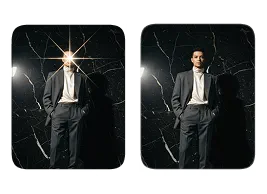
Upload Your Original Image
or drag and drop PNG, JPG or WEBP
Sample Images
How to Remove Reflection From Photo?
Easily get a clear, reflection-free image in just a few steps.
Step 1
Upload Your Photo
- Select the photo you want to remove reflections from. For the best results, use a clear image where the reflection is visible.
Step 2
Remove Reflection from Photo
- Click the "Apply Image Effect" button. The tool will automatically detect and remove the unwanted reflection from your photo.
Step 3
Download and Share Photo
- Once the reflection is removed, download your enhanced photo and share it anywhere you like.
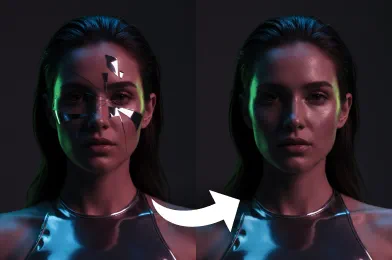
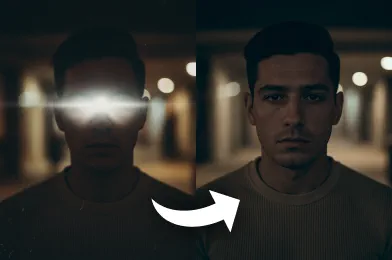
Visual Results You'll Love
See Other Cool Image Effects



FAQs About Remove Reflection
Get clear answers to common questions about using RemixAI.
Our AI tool removes reflections visible in photos, including glare on glass, window reflections, lens flares, polished surfaces, or unwanted mirrored images of the photographer. It works best when the reflection covers a distinct area and the underlying subject remains visible.
No installation is required. The process is entirely web-based, just upload your image, apply the effect, and download the result.
Yes! The tool lets you see the reflection-free result immediately after processing so you can confirm it meets your expectations.
The AI focuses on removing the unwanted reflection while keeping the main subject and background intact. Colors and details are generally preserved for a natural-looking result.
Absolutely. All uploaded images are processed securely, and your photos are never shared with third parties.