AI Christmas Angel Transformation
Create stunning Christmas angel photos with our AI tool. Add radiant wings, festive halos, and magical holiday effects to your images instantly.
Processing...
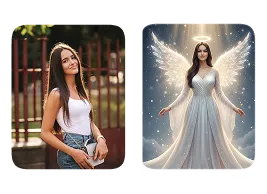
Upload Your Original Image
or drag and drop PNG, JPG or WEBP
How AI Christmas Angel Transformation Works?
Follow these simple steps to transform your photo into a Christmas angel.
Step 1
Upload Photo
- Select & Upload photos from your device to apply AI Christmas Angel Transformation, and make sure uploaded photos must be in high quality with a well-lit background.
Step 2
Apply AI Christmas Angel Transformation
- After the photo is uploaded click on the “Apply Image Effect” button to apply AI Christmas Angel Transformation to your photo.
Step 3
Download & Share
- Download your generated AI Christmas Angel Transformation to your device and share it on your favorite social media platform, and with your friends and family.
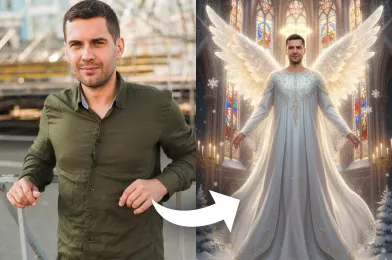
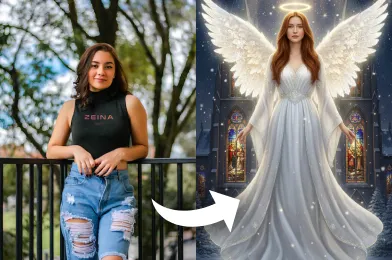
Some Real Examples of Amazing Results
Check Out Other Trending Image Effects


Frequently Asked Questions
Get clear answers to common questions about using RemixAI.
Our AI tool turns your photos into angelic holiday-themed images by adding wings, halos, and festive glowing effects.
Yes. Once the AI adds the angelic effect, you can download your image or share it directly on social media.
Yes. Remix AI ensures natural blending of wings, halos, and festive lights, creating visually appealing and high-quality Christmas angel photos.
The main focus is on adding angel wings, halos, and festive glow, but some subtle background enhancements like soft lights or sparkles may be applied for a magical effect.
Use a high-resolution, well-lit photo with a clear view of your face. Avoid heavily blurred or low-light images for optimal effects.
Yes. Our AI Christmas Angel effect is family-friendly and safe to use for children, adults, and group photos.