AI Kpop Demon Hunters Filter
AI Kpop Demon Hunters Filter changes your photo into a powerful K-pop demon style. It adds dark tones, strong expressions, and action-inspired details.
Processing...
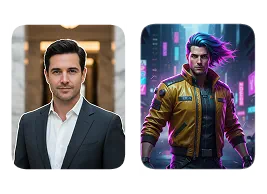
Upload Your Original Image
or drag and drop PNG, JPG or WEBP
Sample Images
How AI Demon Hunters Filter Works?
Step 1
Upload Photo
- Select & Upload photos from your device to apply AI Demon Hunters Filter, and make sure uploaded photos must be in high quality with a well-lit background.
Step 2
Apply AI Demon Hunters Filter
- After the photo is uploaded click on the “Generate Now” button to apply AI Demon Hunters Filter to your photo.
Step 3
Download & Share
- Download your generated AI Demon Hunters Filter to your device and share it on your favorite social media platform, and with your friends and family.
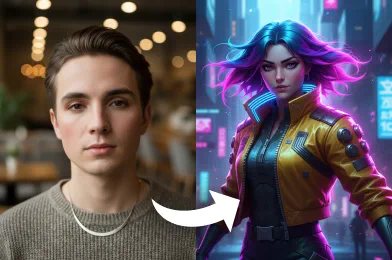
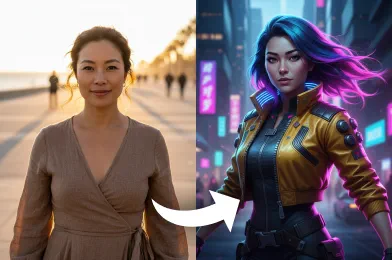
See Sample Results of AI Demon Hunters Filter
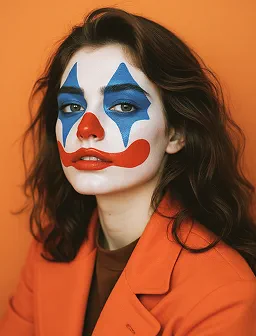
See Other Cool Image Effects


Frequently Asked Questions about AI Demon Hunters Filter
Get clear answers to common questions about using RemixAI.
The AI Demon Hunters Filter is an image effect that changes your photo into a demon hunter style. It gives your picture a dark, powerful, and fantasy look using AI.
Yes, it is free to try. When you sign up, you get free credits that you can use to apply this filter and try other tools.
Yes. Your photos are uploaded securely and used only to create the effect. They are deleted automatically after processing.
You can upload photos in common formats like JPG, PNG, and WEBP.
No installation is needed. You can use the AI Demon Hunters Filter directly in your web browser on any device.