AI Angel Halo Filter
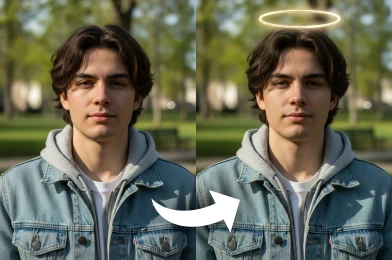
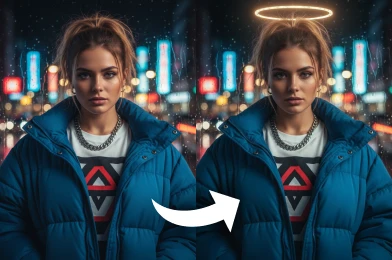
Transform your photos with our AI Angel Halo Filter. Add realistic angelic halos and a soft, heavenly glow to create ethereal portraits instantly.
Processing...
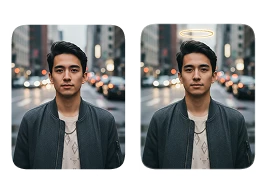
Upload Your Original Image
or drag and drop PNG, JPG or WEBP
Sample Images
How to Use AI Angel Halo Filter?
Add a heavenly halo to your photos in just a few simple steps using our AI tool.
Step 1
Upload Image
- Upload a high-quality image to which you want to add the AI Angel Halo Filter.
Step 2
Apply Image Effect
- After uploading, click the button and our AI will apply the Angel Halo Filter to your image.
Step 3
Download & Share
- Once the image is generated, you can download and share it on social media.
See the Stunning Results
Try More Popular Image Effects


FAQs About AI Angel Halo Filter
Get clear answers to common questions about using RemixAI.
The AI Angel Halo Filter is a photo editing tool that adds lifelike angelic halos and soft, ethereal glows to your images, instantly giving portraits a magical and heavenly look.
Yes, it works on selfies, portraits, and other images featuring people, allowing you to create angelic effects across a wide variety of photos.
The AI Angel Halo Filter processes images almost instantly, usually within a few seconds, delivering quick and seamless results.
Yes, you can apply the AI Angel Halo Filter to your photos at no cost. New users also receive free credits to try any image effects.
Remix AI filter is optimized for human portraits, but you can experiment with pets or objects. Results may vary since the AI is primarily designed to detect faces.
Yes, our AI Angel Halo Filter works smoothly on both mobile and desktop platforms, offering flexibility to edit photos wherever you are.