Add Face Paint to Photo
Turn any photo into a masterpiece with AI face paint effects. Choose from vibrant designs, fun patterns, and professional-quality results instantly.
Processing...
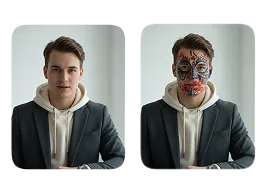
Upload Your Original Image
or drag and drop PNG, JPG or WEBP
Sample Images
How Add Face Paint to Photo Works?
Easily apply virtual face paint to your photos in just a few simple steps.
Step 1
Upload Photo
- Select & Upload photos from your device to add face paint, ensuring they are high quality with a well-lit background.
Step 2
Apply Add Face Paint to Photo
- After the photo is uploaded, click on the “Apply Image Effect” button to add face paint to your photo.
Step 3
Download & Share
- Download your photo with added face paint to your device and share it on your favorite social media platform, and with your friends and family.
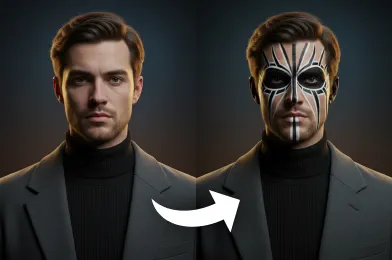
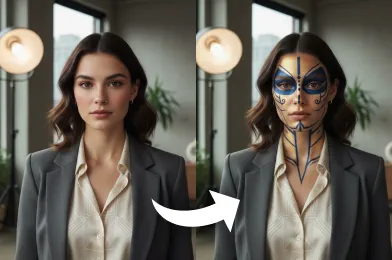
Visual Results You'll Love
Try More Popular Image Effects



FAQs About Add Face Paint to Photo
Get clear answers to common questions about using RemixAI.
The 'Add Face Paint to Photo' effect allows you to digitally apply colorful, artistic face paint designs to your photos using AI. It’s perfect for festivals, parties, or creative photo editing without the mess of real paint.
The effect is applied instantly, usually within a few seconds after uploading your image.
Yes, our AI can detect and apply face paint to all visible faces in your image automatically.
Yes, AI generates realistic face paint that follows facial contours and expressions for a natural appearance.
Absolutely. Uploaded photos are processed securely, and Remix AI tools do not store your images after editing.