Add Devil Horns to Photo
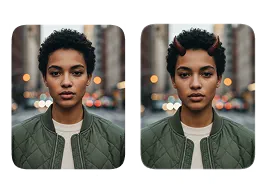
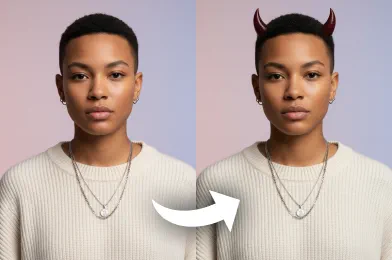
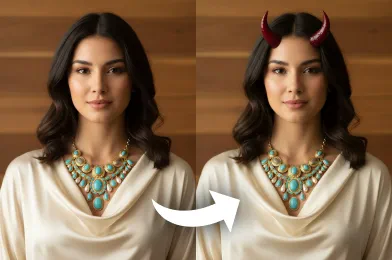
Add a bold and creative touch to your photo with our Add Devil Horns to Photo tool. Our AI tool instantly applies realistic devil horns to your picture, giving you a sharp and dramatic look.
Processing...
Upload Your Original Image
or drag and drop PNG, JPG or WEBP
Sample Images
How to Use Add Devil Horns to Photo?
Follow these three simple steps to add devil horns to your photo.
Step 1
Upload Image
- Choose and upload the picture you wish to modify from your device.
Step 2
Apply Image Effect
- The tool automatically places devil horns on the subject in your photo.
Step 3
Download & Share
- Save the final image with devil horns to your computer or phone.
See These Incredible Results
Related Popular Image Effects



FAQs About Add Devil Horns to Photo
Get clear answers to common questions about using RemixAI.
Our Add Devil Horns to Photo tool is a fun AI image effect that automatically detects faces in your uploaded photo and realistically applies a pair of devil horns. It's a quick and easy way to give your pictures a mischievous and playful touch.
Absolutely. Remix AI prioritize your privacy. Your uploaded images are processed securely using an encrypted connection and are automatically deleted from our servers after a short period. We do not use or share your photos for any other purpose.
Our AI tool processes images incredibly fast, typically within a few seconds. While the exact time can vary slightly depending on image complexity and server load, our technology is optimized to be faster than most other online editors.
No installation is required! Our 'Add Devil Horns to Photo' tool is entirely web-based. You can access it from any modern browser on your desktop, tablet, or mobile device.
Our tool supports the most common image formats, including JPEG, PNG, and WEBP. For the best results, please ensure your image is in one of these supported formats.
Currently, our AI automatically selects the most fitting style of horns for your photo to ensure a realistic look. We are actively working on adding customization options for color, size, and style in future updates.