Add Birthday Hat to Photo
Add a birthday hat to your photo and instantly turn any moment into a cheerful celebration using our smart AI birthday hat effect.
Processing...
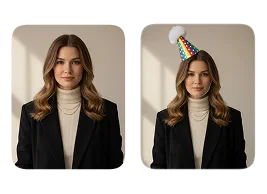
Upload Your Original Image
or drag and drop PNG, JPG or WEBP
Sample Images
How to Add a Birthday Hat to Your Photo
Easily add a festive birthday hat to your photos in three simple steps.
Step 1
Upload Photo
- Select & Upload photos from your device, ensuring they are high quality with a well-lit background.
Step 2
Apply Birthday Hat
- After the photo is uploaded, click on the “Apply Image Effect” button to add the birthday hat to your photo.
Step 3
Download & Share
- Download your generated photo with the birthday hat to your device and share it on your favorite social media platform with friends and family.
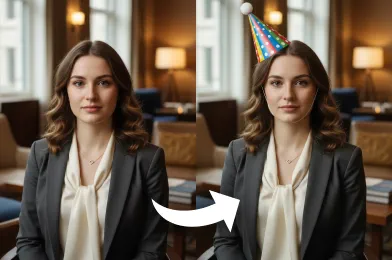
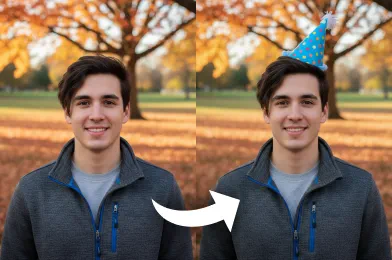
Sample Results to Get You Inspired
Check Out Other Trending Image Effects

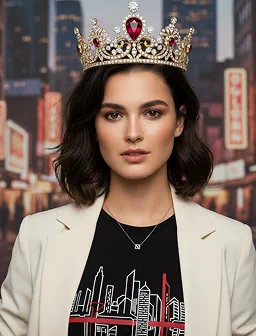
FAQs About Add Birthday Hat to Photo
Get clear answers to common questions about using RemixAI.
The Add Birthday Hat to Photo is an AI-powered image effect that automatically detects a person or pet in your photo and realistically places a festive birthday hat on their head, instantly transforming your picture for a celebration.
Yes! Our AI is trained to recognize not just people but also pets like cats and dogs. You can easily add a birthday hat to your furry friend's photo to celebrate their special day.
Yes, it is! When you sign up, you receive free credits to try out the Add Birthday Hat to Photo effect and other features. No credit card is required to get started.
Our AI tool is optimized for speed. While the exact time can vary with image complexity, the process typically completes in just a few seconds, often faster than other online tools.
For the best results, use clear, well-lit photos where the subject's head is facing forward. However, our AI is robust and works well with a wide variety of images and angles.
Our AI automatically places the hat in the most realistic position. We are working on advanced editing features to allow manual adjustments for size, rotation, and placement in a future update.
Currently, our tool is optimized to add a hat to a single, primary subject in the photo.
Once the birthday hat has been added to your photo, a 'Download' button will appear. Simply click it to save the new high-resolution image to your computer or mobile device.